- Key Takeaways
- What is Website Maintenance & Why Does It Matter?
- Is Your Website Overdue for Maintenance?
- The Ultimate Website Maintenance Schedule
- Let's Talk Platforms: WordPress vs. Shopify
- Get Your Weekends Back
- The Bottom Line
- FAQs – Website Maintenance Checklist
- Don't Let Your Website Break Down Unexpectedly
- Ready to Secure Your Digital Front Door?
Your website is the foundation of your brand’s identity. It isn’t a “set it and forget it” asset; it’s a living digital storefront.
Outdated plugins, slow loading speeds, broken links, and security vulnerabilities silently kill user trust and search rankings.
An up-to-date website matters a lot when it comes to staying top in the ranks, and even the best-ranked sites can slow down if you don’t follow a foolproof website maintenance checklist.
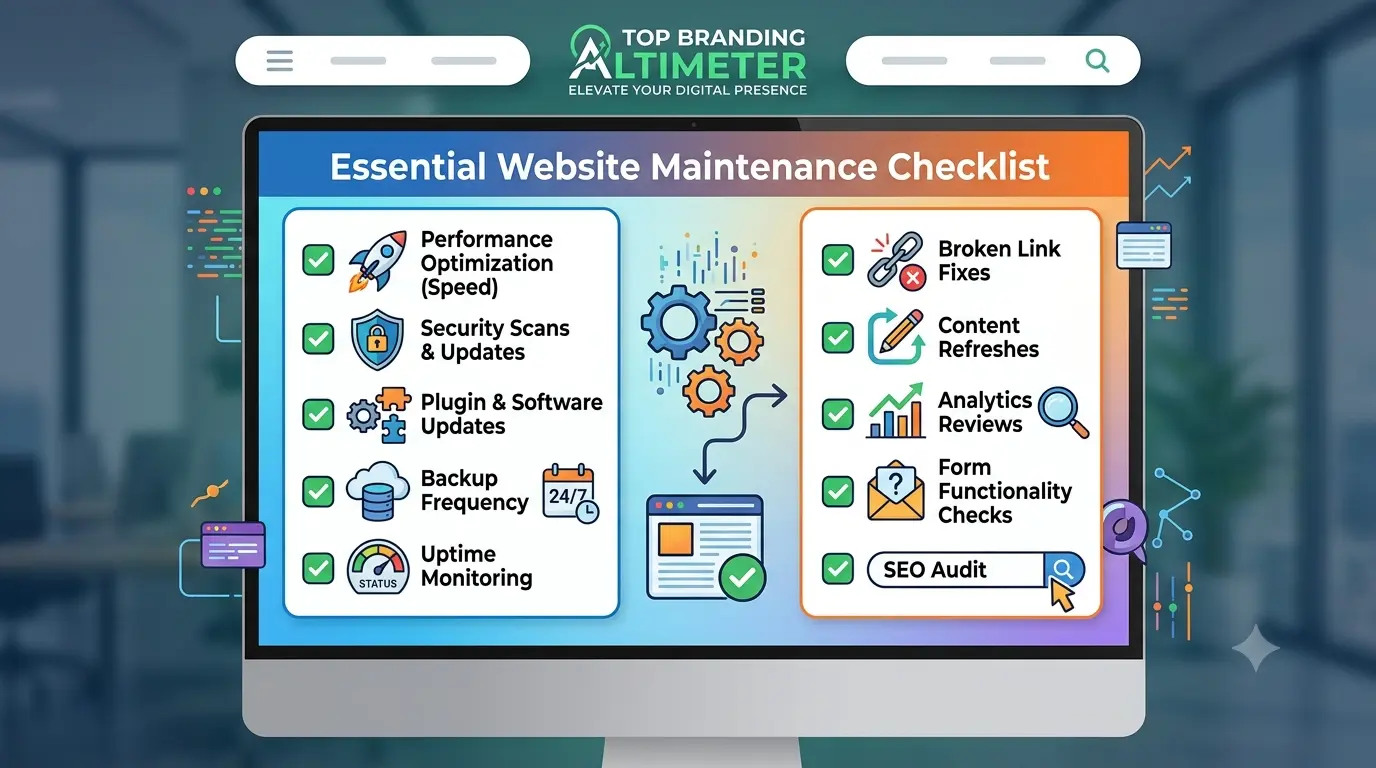
To ensure your website stays up to date and ranking high, our experts at Top Branding Altimeter created this ultimate website maintenance guide and website health checklist designed to streamline your operations in 2026.
Key Takeaways
- Daily tasks focus on uptime, security logs, and confirming forms/checkout work.
- Weekly tasks include full backups, software updates, and broken link checks.
- Monthly tasks cover traffic analysis, page speed testing, and database cleanup.
- Quarterly/annual tasks involve content refreshes, renewal checks, and user permission audits.
- Regular maintenance directly improves SEO by fixing broken links, speeding up load times, and signaling site reliability to Google.
What is Website Maintenance & Why Does It Matter?
Consistently updating and optimizing your site to ensure it stays in the rankings is website maintenance. You can think of the website maintenance process as preventative care for your digital presence.
Typical checklists of tasks include:
- Consistent CMS updates to ensure your website stays running smoothly and securely.
- Keeping up with plugin updates to fill any security gaps and maintain compatibility.
- Updated SEO optimization to rank your content effectively — see our on-page SEO checklist for a deeper dive.
- Staying consistent with broken link scans to ensure a smooth user experience for your customers.
The Core Benefits of a Website Maintenance Checklist Include:
- Website Security Checklist: To prevent the risk of hacks, malware, and data breaches, aligned with website security basics.
- Website Performance Checklist: To keep load times fast and minimize bounce rates.
- Website SEO Maintenance Checklist: To ensure search engines can crawl, index, and rank your content without friction.
Is Your Website Overdue for Maintenance?
Get a free website health check to catch issues before they cost you
The Ultimate Website Maintenance Schedule
Think of website maintenance a lot like owning a car. You wouldn’t drive a vehicle tens of thousands of miles without changing the oil, checking the brakes, or filling up the tank.
If you ignore it, you’re eventually going to end up stranded on the side of the highway. Your website is the exact same way. It isn’t a “set it and forget it” project; it’s a living digital storefront.
To keep it from feeling like an overwhelming chore, the secret is breaking your website maintenance routine down into bite-sized, manageable habits.
By tackling specific website maintenance tasks daily, weekly, and monthly, you keep your site fast, safe, and open for business without losing your mind.
Daily Website Maintenance Tasks (The Quick Vitals)
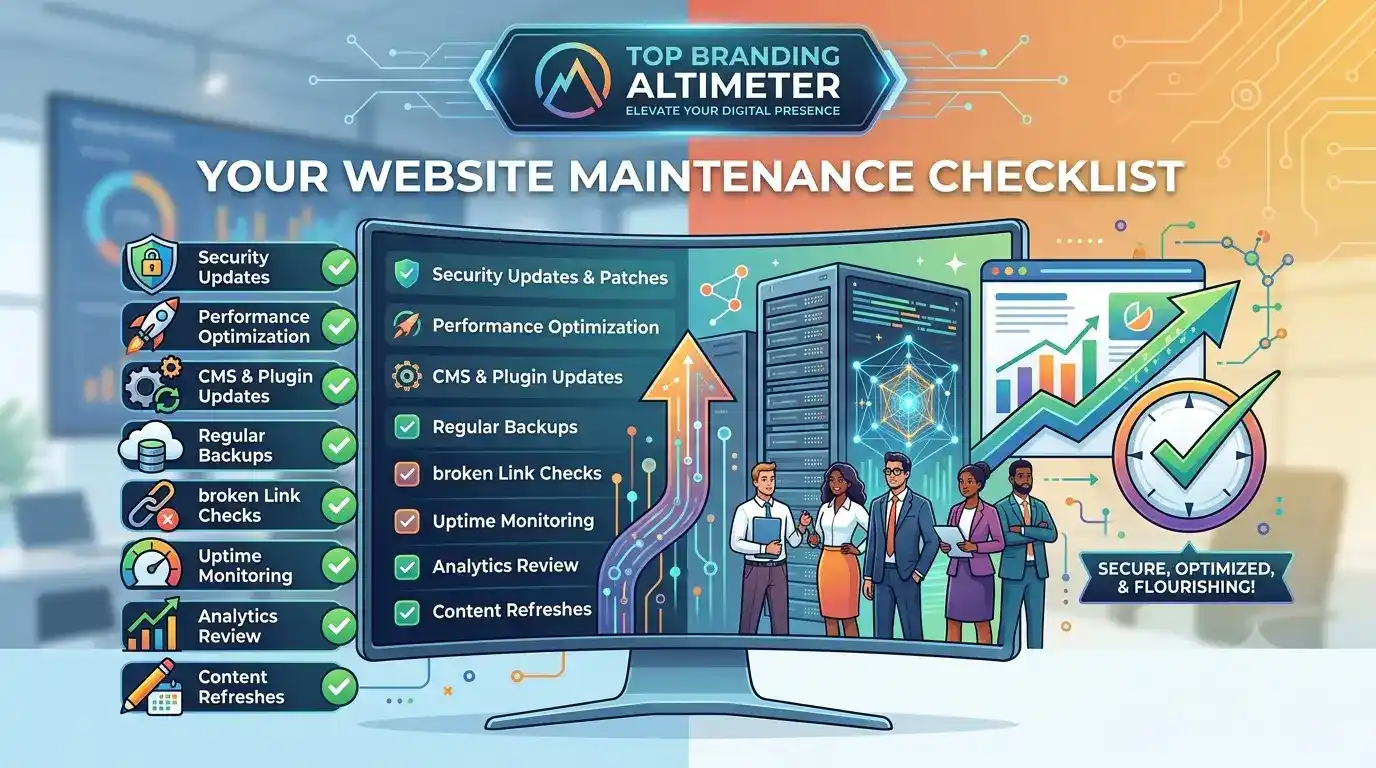
Daily maintenance isn’t about running deep technical audits or rewriting code. It’s just a quick, five-minute check to ensure your digital doors are open and everything is running smoothly.
Think of this as your essential website maintenance checklist for absolute peace of mind.
- Take a Quick Look Around: Open your website on your phone and your laptop first thing in the morning. Click a couple of pages just to make sure the images load, the formatting looks right, and nothing is visibly broken.
- Keep an Eye on Uptime: Use a free automated tool (like UptimeRobot) to send you a text or email if your site goes down. If your server hiccups, you want to know before your customers do so you can call your host and get it sorted.
- Check for Broken Customer Actions: Make sure your contact forms are working and that people aren’t running into errors trying to reach you. If you run an e-commerce shop, keep an eye out for weird checkout errors or sudden, unusual drops in sales that might mean a payment gateway is glitching.
- Scan the Security Logs: Take a peek at your security dashboard (like Wordfence or Sucuri). You don’t need to overanalyze it—just confirm your firewall is doing its job blocking spam and brute-force login attempts.
Weekly Website Maintenance Routine (The Mid-Week Tune-Up)
Your weekly tasks are all about preventative care and keeping your software fresh. Booking a little time mid-week for this website maintenance routine keeps your platform agile and ensures your hard work is safely backed up.
- Backup Your Whole Site: Never rely only on your hosting company to save your data. Once a week, make sure a full backup of your website’s files and database is safely saved to an external cloud like Google Drive or Dropbox. If something goes wrong, you can restore your site with a single click.
- Run Your Software Updates: Outdated software is an open invitation for hackers.
- If you’re on WordPress: Check your WordPress website maintenance checklist and update your plugins and themes, following WordPress SEO services best practices. (Pro-tip: If it’s a major update, test it on a staging site first so it doesn’t break your live layout).
- If you’re on Shopify: Look over your Shopify website maintenance checklist to ensure your active apps are playing nice together and not slowing down your theme.
- Hunt Down Broken Links: Clicking a link only to hit a “404 Error – Page Not Found” is incredibly frustrating for users and looks lazy to Google. Use a free broken link checker once a week to find dead ends and fix them.
- Clean Up the Comments and Spam: Delete the junk tracking trackbacks, clear out spam comments on your blog, and keep your comment sections clean and professional.
Monthly Website Health Checklist (The Deeper Dive)
Once a month, step back to look at the bigger picture. This is where you run a thorough website maintenance audit checklist to see how your site is actually performing and how real people are interacting with it.
- Check Your Traffic and Trends: Pop open Google Analytics and Search Console. Look for any weird dips in traffic, high bounce rates, or weird indexing errors flagged by Google. Keeping tabs on this is the backbone of a solid website SEO maintenance checklist.
- Test Your Page Speed: Websites tend to get bloated over time as you add images and content. Use a tool like Google PageSpeed Insights once a month — part of a solid website speed SEO strategy. If your site is loading slowly, it might be time to compress some oversized images or clean up old scripts.
- Test the Full User Experience (UX): Put on your customer hat and browse your own site. Fill out your own contact form, sign up for your own newsletter, and even buy a $1 test product. Make sure the entire journey is completely seamless and easy.
- De-clutter Your Database: Over the weeks, your site hoards digital trash—like old page drafts, deleted comments, and temporary data. Use a database optimization plugin to sweep out the clutter, which lightens the load on your server and keeps things snappy.
Quarterly & Annual Website Maintenance Plan
These are the big-picture tasks you only need to think about a few times a year to protect your brand’s longevity and digital security.
- Refresh Your Content for 2026: Take a look at your top-performing blog posts and pages. Update any outdated stats, change old dates to 2026, fix old links, and make sure the advice you’re giving is still accurate and helpful.
- Check Your Renewals: There is nothing worse than waking up to find your website offline because a credit card expired and your domain name didn’t auto-renew. Double-check your hosting, domain, and SSL certificate expiration dates so you’re never caught off guard.
- Audit Your User Permissions: Change your main admin passwords to new, secure ones. While you’re there, look at who has access to your site. Delete accounts for former employees, old interns, or contractors who don’t work with you anymore.
Let’s Talk Platforms: WordPress vs. Shopify
Look, not all websites are built the same way, which means you can’t treat them all the same when it comes to upkeep.
Whether your business relies on the ultimate, tweak-everything flexibility of WordPress or the streamlined e-commerce engine of Shopify, you’ve got to play by your platform’s specific rules — see our Shopify vs WooCommerce comparison for platform differences.
The WordPress Survival Guide
WordPress powers a massive chunk of the internet, and for good reason. But because it relies on a giant ecosystem of independent themes and plugins, updates can occasionally throw a tantrum and clash with one another.
To keep your site from breaking, safety has to be your top priority.
- Step Away from the “Update All” Button: Pushing that button on five different plugins at once on your live site is playing digital Russian roulette. One conflicting line of code can give you the dreaded “White Screen of Death,” taking your site down instantly while you’re left scrambling.
- Get Comfortable with Staging Sites: A staging site is basically a private, identical clone of your live website that nobody else can see. Think of it as a sandbox. Always run your updates, test your forms, and check your formatting there first. If a plugin breaks the layout on staging, no big deal—you can fix it safely behind the scenes without your customers ever knowing.
- Stick to the Order of Operations: When checking off your WordPress website maintenance checklist, update your plugins first, your active theme second, and the core WordPress software last. And always, always back things up right before you start.
The Shopify Reality Check
Shopify handles the heavy lifting of hosting and core security for you, which takes a huge weight off your shoulders.
However, running a successful online store means you still need to be the gatekeeper for your apps, inventory feeds, and customer touchpoints.
- Do a Regular App Purge: It’s incredibly easy to install a Shopify app for a quick weekend promotion or design tweak and completely forget to delete it. Unused apps still load code in the background, which aggressively drags down your mobile load speeds. Once a month, clear out the digital clutter you aren’t actively using.
- Watch Your Product Feeds Like a Hawk: Ensure your inventory levels, variant pricing, and product descriptions are syncing correctly with external sales channels like Google Shopping, Instagram, or Meta. Broken feeds mean lost sales or, worse, frustrated customers buying out-of-stock items that you have to refund.
- Test Your Own Checkout: While Shopify manages its own checkout security patches, you should regularly test the buying process yourself. Run a quick check to make sure your local payment gateways, discount code logic, and automated shipping calculators are working flawlessly. A single glitch at checkout is an immediate threat to your wallet.
Creating a Maintenance Plan That Actually Fits Your Life
As a small business owner, your time is your most valuable asset. If you don’t intentionally carve out time for maintenance on your calendar, it simply won’t happen—until something breaks and forces you to deal with it at 11:00 PM on a Tuesday.
How to Make It a Habit (Not a Chore)
The secret to a successful website maintenance plan is turning it into a mindless routine rather than a stressful emergency project.
- Block It Out: Set a recurring 15-minute appointment on Friday afternoons for your quick weekly tasks, and a 1-hour block on the first Monday of every month for your deep-dive audit. Permit yourself to focus just on that.
- Don’t Reinvent the Wheel: Grab a reliable website maintenance checklist template and check off the items systematically. When you standardize the process, it stops taking up mental energy. You just log in, do the steps, and log out.
The Big Question: Do It Yourself or Hand It Off?
Eventually, every growing business faces a choice: should you keep managing your site yourself, or is it time to hand it off to the pros?
- The DIY Route: Keeping things in-house saves cash upfront, making it a great option when you’re just starting. But let’s be honest about the hidden cost: your time. Every hour you spend troubleshooting a broken plugin, compressing images, or hunting down a 404 error is an hour you aren’t spending talking to clients, closing sales, or actually growing your business.
- The Outsourced Route: Partnering with an agency to handle your website maintenance routine gives you your weekends back and completely eliminates the technical headaches. You get total peace of mind knowing that experts are proactively monitoring your site’s security, speed, and SEO health while you focus on what you do best.
Get Your Weekends Back
Let experts handle your site’s maintenance while you grow your business
The Bottom Line
When it comes to web design and digital marketing, consistency always wins over sporadic, emergency fixes.
Waiting until your website crashes, gets hacked, or tanks in Google’s rankings to finally give it some attention is the most stressful and expensive way to run a digital business.
By committing to a regular website health checklist, you protect your brand’s reputation, keep your user experience flawless, and ensure your business remains highly visible online throughout 2026 and beyond.
A well-maintained website isn’t an annoying expense—it’s an investment in your business’s growth, much like a smart website redesign is when your site has outgrown its current setup.
FAQs – Website Maintenance Checklist
What is a website maintenance checklist?
A website maintenance checklist is a structured schedule of tasks required to keep a website secure, functional, fully updated, and performing optimally for users and search engines.
Why is website maintenance important?
It prevents costly security breaches, fixes broken user experiences, maintains fast loading speeds, and ensures your site continues to rank well on search engines like Google.
How often should I maintain my website?
Website maintenance should be continuous. Critical security and uptime checks happen daily, software updates and backups weekly, and deep performance audits monthly or quarterly.
What should be included in a website maintenance checklist?
It must include security monitoring, data backups, software/plugin updates, performance testing, link health reviews, and form testing.
Don’t Let Your Website Break Down Unexpectedly
Get proactive website maintenance built to prevent costly surprises
What are the daily website maintenance tasks?
Daily tasks include checking that the site is live (uptime), reviewing security logs for unusual activity, and ensuring critical features like payment gateways or contact forms are running smoothly.
What should be checked every month?
Every month, you should audit your site loading speeds, check Google Search Console for indexing errors, optimize your database, and review content performance.
How do I maintain a WordPress website?
Maintaining a WordPress site requires weekly updates to plugins, themes, and WordPress core, paired with strict security monitoring, automated cloud backups, and regular database optimization.
Does website maintenance improve SEO?
Yes. Regular maintenance directly enhances SEO by fixing broken links, improving page load speeds, ensuring mobile friendliness, and signaling to Google that your site is active and reliable — closely tied to technical SEO fundamentals.
How much does website maintenance cost?
Costs vary widely depending on complexity. Do-it-yourself maintenance can cost just the price of tools ($10–$50/month), while professional agency plans typically range from $100 to $500+ per month depending on site size.
Can I maintain my website myself?
Yes, anyone can handle basic updates and content tweaks. However, managing security patches, deep technical troubleshooting, and speed optimization often requires technical expertise.
When should I hire a website maintenance agency?
You should hire an agency when maintenance takes too much time away from growing your business, if your site experiences frequent technical bugs, or if you manage complex e-commerce features.
What happens if I don’t maintain my website?
Neglecting your site increases the risk of malware attacks, causes slow loading speeds, breaks key functionalities (like checkout buttons), drops your search engine rankings, and alienates potential customers.
Ready to Secure Your Digital Front Door?
Don’t wait for a major technical headache to disrupt your business. Grab our free, actionable website maintenance checklist template today to streamline your internal routine.
Prefer to hand off the technical heavy lifting so you can focus entirely on growth?
Reach out to the team at Top Branding Altimeter today. Let’s build a tailored, professional website maintenance plan that keeps your site fast, secure, and working tirelessly for your business around the clock.
Ready to Grow Your Business?
Get expert guidance tailored to your brand — completely free consultation
Get Free Consultation