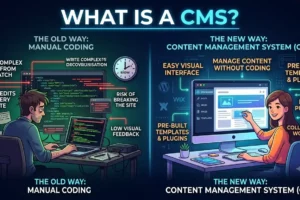
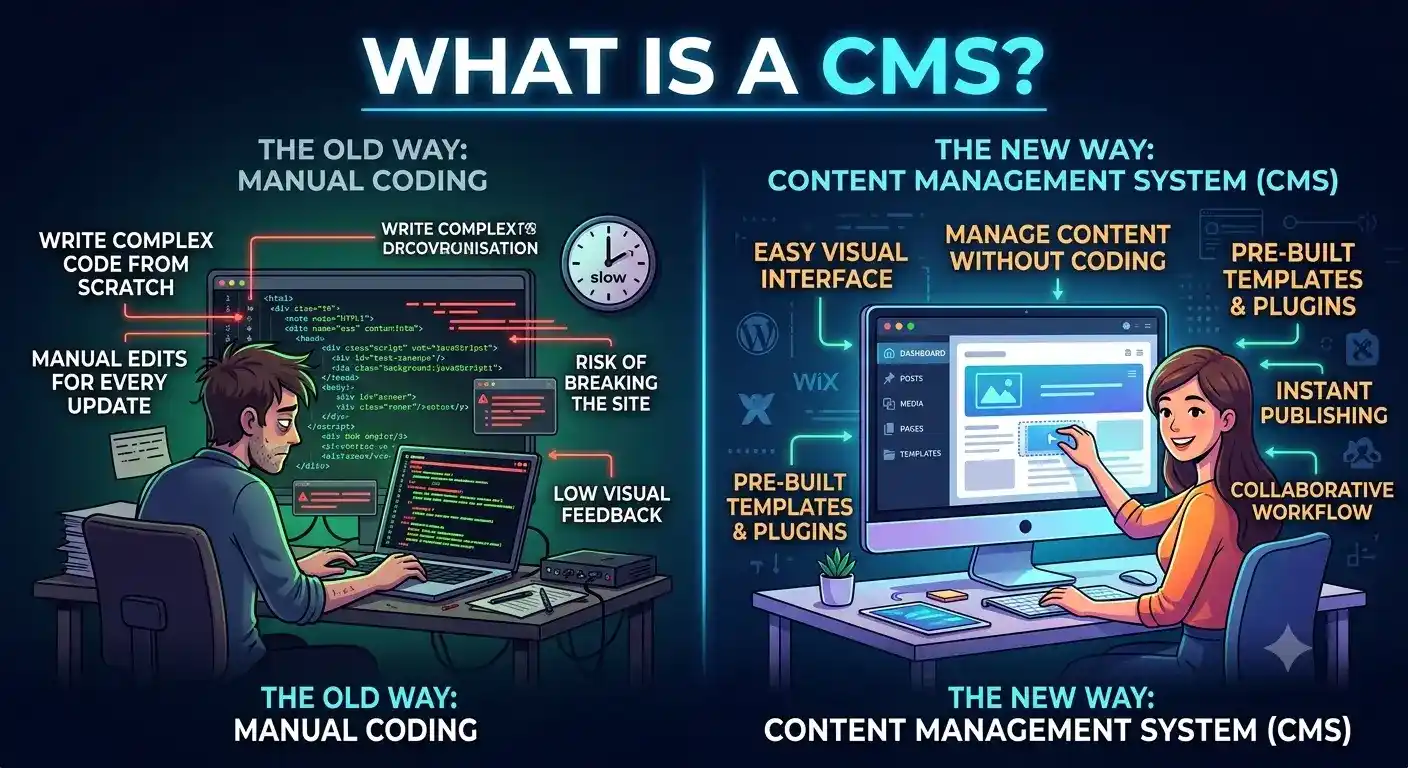
What is CMS? To understand it, think about how building a website used to mean writing hundreds of lines of complex code from scratch. If you wanted to post a simple blog update or swap out a product image, you had to open up code files, make edits manually, and upload them back to a web server.
Enter the CMS (Content Management System). A website CMS completely changes the game. It allows anyone to launch, update, and manage a fully functional website without ever having to look at code.
Key Takeaways
- A CMS separates content from design — a database (back end) stores your text and images, while a theme (front end) displays it.
- WordPress is the most widely used CMS, powering over 40% of all websites on the internet.
- There are 3 main CMS types: Open Source, Enterprise, and Headless.
- A CMS is different from a website builder — it offers deeper customization and full control over hosting and code.
- Most CMS platforms have built-in SEO tools to manage titles, meta descriptions, and sitemaps.
Let’s break down the CMS meaning, how it functions behind the scenes, and how to pick the right CMS platform for your business goals — with the help of a professional web design and development team if needed.
What Is a Content Management System (CMS)?
In simple terms, a content management system is a piece of CMS software that runs in your web browser.
It gives you a clean, visual dashboard to create and publish digital content. Instead of writing code, you write text in an editor that feels a lot like Microsoft Word or Google Docs, hit “Publish,” and let the system handle the complex tech stuff under the hood.
How Does CMS Work?
To understand how it manages your site, it helps to see how your dashboard connects with the server:
A traditional CMS for websites splits your site into two main parts:
- The Database (The Back End): Where your text, image paths, user settings, and passwords live securely.
- The Theme (The Front End): The visual design layer made of HTML and CSS that determines what your visitors see.
When you type out a new page in your CMS dashboard, the software saves that text into the database. When a customer visits your URL, the CMS instantly grabs that text from the database and drops it into your design template in real-time.
Why Use CMS? Key Benefits for Your Business
Choosing between a CMS vs custom website built completely by hand really comes down to how much speed and independence your team needs.
- No Coding Skills Required: Your marketing team can update pages, launch promos, and fix typos instantly without waiting around for a web developer.
- Easy Team Collaboration: Multiple people can log in at once. You can set permissions so writers can save drafts, but only editors have the power to hit publish.
- Built-in SEO Tools: Most platforms offer native settings or plugins to optimize titles, edit meta descriptions, and generate sitemaps easily — pairing well with a solid on-page SEO checklist.
- Saves Money as You Scale: Instead of paying a developer for minor daily updates, you save your budget for major strategic feature upgrades through reliable web development services.
Types of CMS and Real-World Examples
Not all content management systems are built the same way. Depending on your business size and tech capabilities, you’ll generally find three main types:
1. Open Source CMS
Open-source means the software’s source code is free for anyone to use, change, and expand. They rely on massive global communities that build helpful plugins and custom themes.
CMS Examples: WordPress, Joomla, and Drupal.
2. Enterprise CMS (ECMS)
Built specifically for large corporations that need to manage massive networks of internal documents, strict compliance rules, and highly secure intranets.
CMS Examples: Adobe Experience Manager, Sitecore, and Optimizely.
3. Headless CMS
A modern setup where the content repository (the “body”) is completely separated from the design layout (the “head”). Your content is delivered dynamically via an API, meaning you can push the same piece of text to a website, a mobile app, or a smartwatch all at once.
CMS Examples: Contentful, Strapi, and Sanity.
If you’re running an online store, a solid CMS foundation also pairs well with a dedicated Shopify store development setup for product management and checkout flow.
Frequently Asked Questions
What is CMS in simple words?
A CMS is a tool that lets you build and run a website using an easy, visual dashboard so you don’t have to deal with raw code or manually edit files.
What does CMS stand for?
CMS stands for Content Management System.
How does a CMS work?
It stores all your text and images in a separate database. When someone visits your site, the CMS pulls that content from the database and displays it instantly using your chosen visual theme.
Why is CMS important?
It gives companies the power to update their own websites in minutes. This keeps businesses agile, keeps content fresh, and slashes long-term development costs.
What are examples of CMS platforms?
Some of the best CMS platforms include WordPress (which runs over 40% of the internet), Drupal, Joomla, Shopify (for online stores), and Contentful (for headless setups).
Is WordPress a CMS?
Yes, absolutely. WordPress is the most popular open-source content management system in the world. It started as a blogging tool but now powers everything from small portfolios to massive global corporate sites, often built through expert WordPress SEO services.
What is the difference between CMS and website builder?
A website builder (like Wix or Squarespace) is an all-in-one tool that bundles your design, software, and hosting together in a simplified subscription.
A CMS (like WordPress) offers much deeper customization, total control over your code, and the freedom to host your site wherever you want.
Can I build a website without CMS?
Yes. You can build a website by hand-coding static HTML and CSS files. However, making changes later means opening those code files and manually updating them line-by-line — this is where custom web development comes in for advanced needs.
Which CMS is best for small businesses?
For most small businesses, WordPress paired with a visual page builder is the top choice because it’s flexible and has an endless community of support. Explore options through professional small business web design services.
Is CMS good for SEO?
Yes. Great systems make on-page SEO incredibly straightforward. They allow you to tweak URLs, change title tags, add image alt text, and use helper plugins that grade your content’s readability before you publish — read our technical SEO explained guide for more.
What is headless CMS?
A headless CMS holds and organizes your data on the back end but doesn’t handle the design. Instead, it sends your content out through an API, letting developers build custom front-ends for websites, apps, or smart devices.
When should I hire a CMS development agency?
It’s time to hire an agency if your site requires heavy third-party database integrations, advanced custom tools, enterprise-grade security compliance, or a complex headless setup designed to sync across multiple platforms.
Explore More From Top Branding Altimeter
The links below didn’t fit naturally into the article above, but are added here as required:
Ready to Grow Your Business?
Get expert guidance tailored to your brand — completely free consultation
Get Free Consultation