- What is Schema Markup SEO
- Why Schema Markup Matters for Modern SEO
- How Schema Markup Works
- Types of Schema Markup Every Website Should Know
- Benefits of Schema Markup for Google, AI & Voice Search
- Common Schema Markup Mistakes to Avoid
- How to Test and Validate Schema Markup
- Best Practices for Implementing Schema Markup
- Website Development Pricing
- When Should You Hire a Schema Markup SEO Agency?
- FAQs – Schema Markup SEO
Quick Answer: Schema markup SEO is code added to a website that tells search engines exactly what your content means, not just what it says. It’s how structured data gets implemented, and it’s what unlocks rich results like star ratings, FAQ dropdowns, and better visibility in Google, AI Overviews, and voice search.
You’ve done the work. Your website has solid content, decent keywords, maybe even a blog you update regularly.
But somehow you’re still not showing up the way competitors do: no star ratings under their listing, no FAQ dropdown, no “featured” box with your business name in it. That gap usually comes down to one thing: schema markup SEO.
It sounds technical, and honestly, it kind of is, but you don’t need to be a developer to understand what it does or why it’s become one of the most important pieces of modern SEO.
This guide breaks down what schema markup actually is, how it works, pricing, and what it can realistically do for a small or mid-sized business website.
What is Schema Markup SEO
Think of schema markup as a translator. Your website already “speaks” to visitors through headlines, images, and paragraphs; humans can look at a page and instantly understand it’s a bakery, a law firm, or a product page.
Whereas search engines can’t read that way. They need things spelled out in a language they understand, and that’s exactly what schema markup provides.
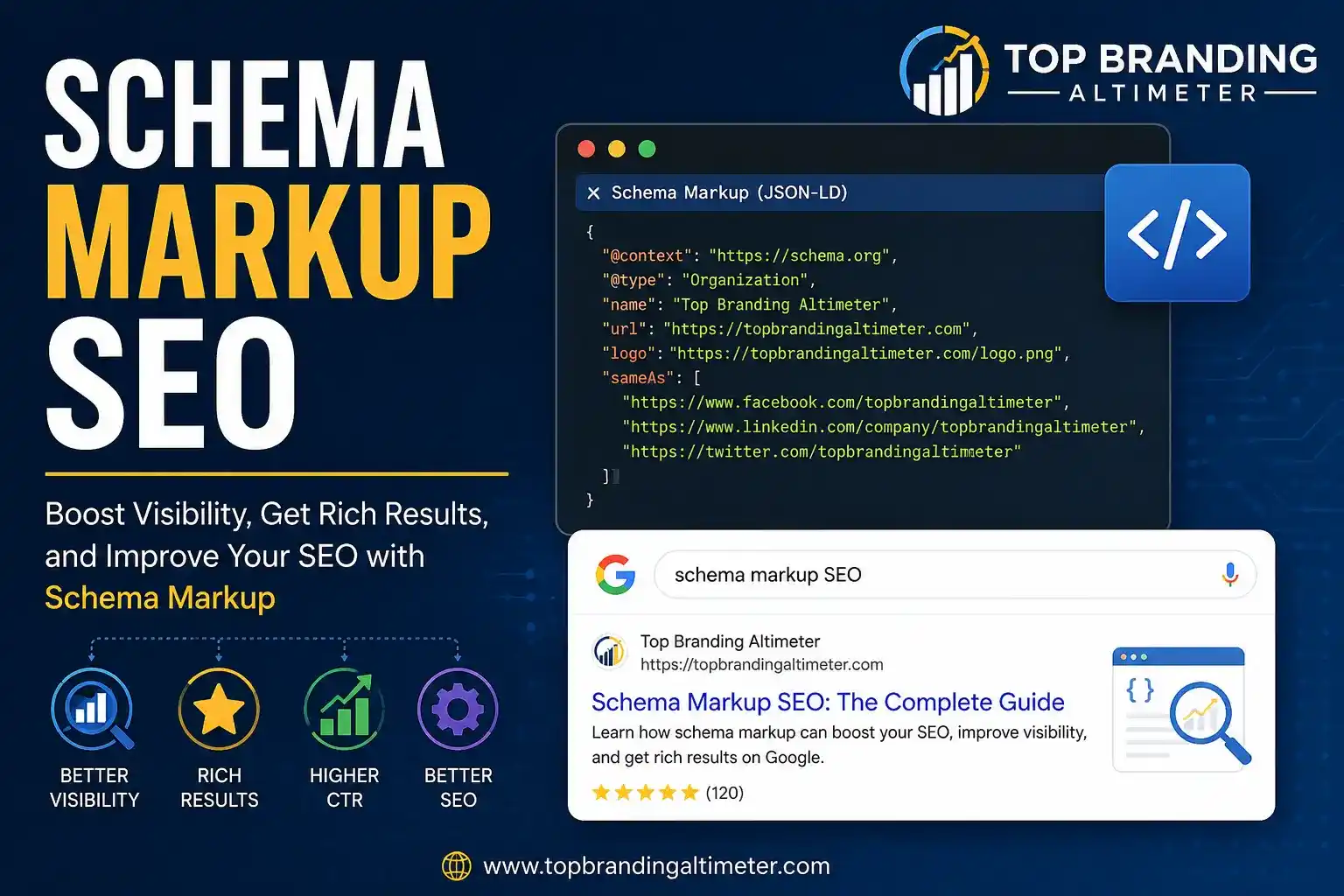
In plain terms, schema markup is a standardized code added to your website that tells search engines exactly what your content means, not just what it says.
It’s built on a shared vocabulary called Schema.org, a project backed by Google, Bing, Yahoo, and Yandex, so every major search engine reads it the same way.
This is also where the term structured data comes in; schema markup is simply how you add structured data to a webpage.
The two terms get used interchangeably, but the relationship is straightforward: structured data is the concept, schema markup is the code that implements it.
Without it, search engines are left guessing. With it, they know precisely what they’re looking at — a product, a review, a business address, an event date — and that clarity is what unlocks the extra visibility features you see in search results today, the same principles we cover in our technical SEO explained guide.
Why Schema Markup Matters for Modern SEO
A few years ago, schema markup was a nice-to-have. Today, it’s becoming closer to essential, and the reason comes down to how dramatically search itself has changed.
Search results aren’t just ten blue links anymore. Google now displays rich results: star ratings, pricing, FAQ dropdowns, event dates, and “how-to” steps, all pulled directly from a page’s schema markup.
These rich snippets take up more visual space, which often means a much higher click-through rate than a plain listing sitting right above or below them.
Then there’s the shift toward AI-powered search. Google’s AI Overviews, voice assistants like Siri and Alexa, and chatbot-style search tools all rely heavily on structured data to understand and summarize content accurately.
A page with clear schema markup gives these systems a well-organized source to pull from, which matters more every year as more searches happen through voice and AI summaries rather than traditional clicking-and-scrolling.
For small businesses specifically, this is a real opportunity. You don’t need a massive marketing budget to compete for a rich snippet — you need accurate, well-implemented technical SEO schema.
It’s one of the few areas where a well-optimized small business site can genuinely outrank a much bigger competitor who hasn’t bothered to add it. This ties directly into building on-page SEO that actually performs.
Get Rich Snippets on Google
Add schema markup that boosts clicks and outranks bigger competitors.
How Schema Markup Works
Schema markup runs quietly in the background; your website visitors never see it, but search engines read it every time they crawl your page.
Here’s the short version of how it works:
- It’s written in a specific format. The recommended format today is JSON-LD schema — a small snippet of code placed in the page’s <head> section.
- It labels your content. Instead of search engines guessing, the code explicitly states: “this is a business name,” “this is a price,” “this is a customer review.”
- It doesn’t change how your page looks to visitors. Schema markup is invisible on the front end — it only “speaks” to search engine crawlers.
- Search engines use it to build rich results. Once a crawler reads your schema, it can decide to display that information as a rich snippet — star ratings, FAQs, breadcrumbs, and more.
You don’t need to write this code from scratch. Most schema is added through a plugin (if you’re on WordPress), a tag manager, or manually by a developer, but the underlying logic stays the same no matter how it’s implemented.
Types of Schema Markup Every Website Should Know
Not every business needs every type of schema. Here are the ones most relevant to small and mid-sized business websites:
- LocalBusiness Schema: Displays your business name, address, phone number, hours, and location on a map. Essential for any business relying on local SEO strategy.
- Product Schema: Shows price, availability, and ratings directly in search results. Built for e-commerce and product pages.
- Review Schema: Surfaces star ratings next to your listing, which is one of the strongest click-through boosters available in search.
- FAQ Schema: Turns your FAQ section into an expandable dropdown right in the search results, giving you more space on the page.
- Article Schema: Helps blog posts and articles surface with author info, publish dates, and sometimes images in search.
- BreadcrumbList Schema: Displays your site’s page hierarchy (Home > Services > Schema Markup) instead of a plain URL, making listings easier to scan.
Most business websites benefit from combining two or three of these rather than relying on just one.
Benefits of Schema Markup for Google, AI & Voice Search
Schema markup doesn’t just help search engines understand your site — it directly translates into visibility, clicks, and trust. Here’s what proper implementation can realistically do:
- Higher click-through rates. Rich snippets and SEO features like star ratings and pricing make your listing stand out from plain competitors above or below it.
- Better voice search performance. Voice assistants pull answers from clearly structured content; schema markup makes your business a more likely source.
- Stronger presence in AI Overviews. AI-generated search summaries favor content that’s easy to parse and verify, which is exactly what structured data provides.
- More space in search results. FAQ dropdowns, breadcrumbs, and review stars all expand your listing’s visual footprint without paying for ads.
- Increased trust and credibility. Star ratings and verified business details signal legitimacy before a user even clicks through.
- Improved local visibility. LocalBusiness schema helps small businesses show up more accurately in “near me” searches and Google Maps results.
None of this guarantees a rich result; Google decides when and whether to display one — but without schema markup, none of it is even possible.
Common Schema Markup Mistakes to Avoid
A lot of businesses add schema markup and still don’t see results — usually because of a handful of avoidable mistakes:
- Marking up content that isn’t visible on the page. Google requires schema to reflect actual, visible content; mismatches can lead to penalties.
- Using the wrong schema type. Applying Product schema to a service page (or vice versa) confuses search engines rather than helping them.
- Skipping validation. Adding schema without testing it means errors can go unnoticed for months.
- Over-marking every page. Not every page needs every schema type — excessive or irrelevant markup can dilute relevance signals.
- Letting markup go stale. Outdated prices, old reviews, or incorrect business hours in your schema create a mismatch that hurts more than helps.
- Forgetting mobile and page speed impact. Poorly implemented schema (like bloated JSON-LD blocks) can slow down page load times, which we cover further in website speed and SEO.
The good news: most of these are easy to fix once you know what to check for — which is exactly what the next section covers.
Fix Schema Errors on Your Site
Get a free audit to catch and correct costly schema mistakes.
How to Test and Validate Schema Markup
Before schema markup can help your SEO, it needs to actually be error-free. Two free tools make this easy:
- Google’s Rich Results Test. Shows exactly which rich results your page is eligible for, and flags any errors in your markup.
- Schema Markup Validator (Schema.org’s official tool). Checks your code against the full Schema.org vocabulary for structural errors.
A simple validation routine:
- Run every key page (homepage, service pages, product pages) through the Rich Results Test
- Fix any flagged errors or warnings before publishing
- Re-test after any major content update — schema and content should always match
- Set a quarterly reminder to re-validate, since prices, hours, and reviews change over time
Best Practices for Implementing Schema Markup
A few guiding principles keep schema markup working in your favor long-term:
- Start with high-value pages first. Homepage, service pages, product pages, and FAQ pages typically see the biggest impact.
- Match markup to visible content. Never mark up information that isn’t actually shown on the page.
- Keep it updated. Stale prices, hours, or review counts can do more harm than having no schema at all.
- Use JSON-LD as your format. It’s Google’s recommended format and the easiest to maintain without disrupting page design.
- Don’t overdo it. More schema types isn’t automatically better — relevance matters more than volume.
- Monitor Google Search Console. The Enhancements section shows how your structured data is performing over time, including any errors Google catches after publishing.
Website Development Pricing
Schema markup is most effective when it’s built into a properly developed site from the start. Every web package below is currently 50% off.
| Basic Web Package | Startup Web Package (Popular) | Pro Web Package (Best Choice) |
|---|---|---|
| $499 |
$999 |
$1,499 |
| 3 Page Website Design Complete Deployment Mobile Responsive Design Turn Around 3 Business Days 3 Stock Photos |
Up To 5 Page Website Design Complete Deployment Turn Around 5 Business Days 5 Stock Photos W3C Certified HTML |
7 Unique Pages Website CMS / Admin Panel Support 8 Stock Images 5 Banner Designs 1 JQuery Slider Banner FREE Google Friendly Sitemap |
| Elite Web Package | Business Plus Web Package |
|---|---|
| $2,500 |
$6,500 |
| Up To 10 Unique Pages Conceptual And Dynamic Website Mobile Responsive Content Management System (CMS) Online Reservation/Appointment Tool |
Website Pages Up To 15 To 18 Pages Conceptual And Dynamic Website Complete Deployment Mobile Responsive Design Free On-Page SEO |
For rush delivery or a custom quote, call us at (608) 745-2868 or order now.
When Should You Hire a Schema Markup SEO Agency?
Schema markup is one of those things that’s simple in concept but easy to get wrong in execution.
A misplaced tag, a mismatched schema type, or outdated information can undo the benefit entirely, and most business owners simply don’t have the time to monitor that alongside running their actual business.
That’s usually the point where it makes sense to bring in a technical SEO schema partner. A good schema markup SEO agency will:
- Audit your site to identify which schema types apply to your business
- Implement and validate JSON-LD schema correctly across key pages
- Monitor performance through Search Console and catch errors before they affect rankings
- Keep markup updated as your business, pricing, or offerings change
Ready to see what schema markup could do for your website? Get in touch with our team for a free technical SEO review. You can also check our full SEO services for related support.
Hire a Schema Markup SEO Expert
Let professionals implement and monitor your structured data correctly.
FAQs – Schema Markup SEO
What is schema markup in SEO?
Schema markup is code added to a website that helps search engines understand the meaning of its content, not just the words on the page. It’s how structured data gets implemented on a site.
Is schema markup a ranking factor?
Not directly. Google has stated schema isn’t a direct ranking signal, but it improves click-through rates and search visibility, which indirectly supports SEO performance.
Do I need a developer to add schema markup?
Not necessarily. Many CMS platforms (like WordPress) offer plugins that add schema without touching code. More complex or custom schema usually benefits from developer support.
How long does it take to see results from schema markup?
Most businesses see rich results appear within a few days to a few weeks after implementation, though Google decides if and when to actually display them.
Can schema markup hurt my SEO?
Only if it’s implemented incorrectly, for example, marking up content that isn’t visible on the page, or using outdated information. Accurate, well-maintained schema carries no downside.
What’s the easiest schema type to start with?
For most small businesses, LocalBusiness schema and FAQ schema offer the fastest, most visible wins.
You Might Also Find Helpful
- Web Design & Development Services — get schema markup built in from day one.
- Shopify Store Development — Product schema for online stores.
- Social Media Marketing Packages — drive more traffic to your newly optimized pages.
- Google Ads for Doctors — pair schema-rich pages with paid visibility for medical practices.
- Web Design in New York City — local web design support if you’re NYC-based.
- Web Development in Los Angeles — local web development support if you’re LA-based.
Ready to Grow Your Business?
Get expert guidance tailored to your brand — completely free consultation
Get Free Consultation